




















Step 1. Ensure that the Edge browser version is later than 89. Using the latest Edge browser version is recommended.

Step 2. Click the drop-down box on the right-hand-side of the Edge browser and select Settings.
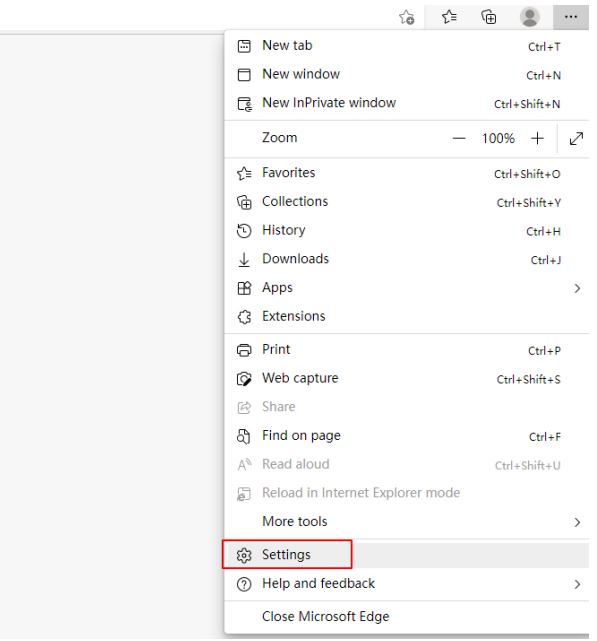
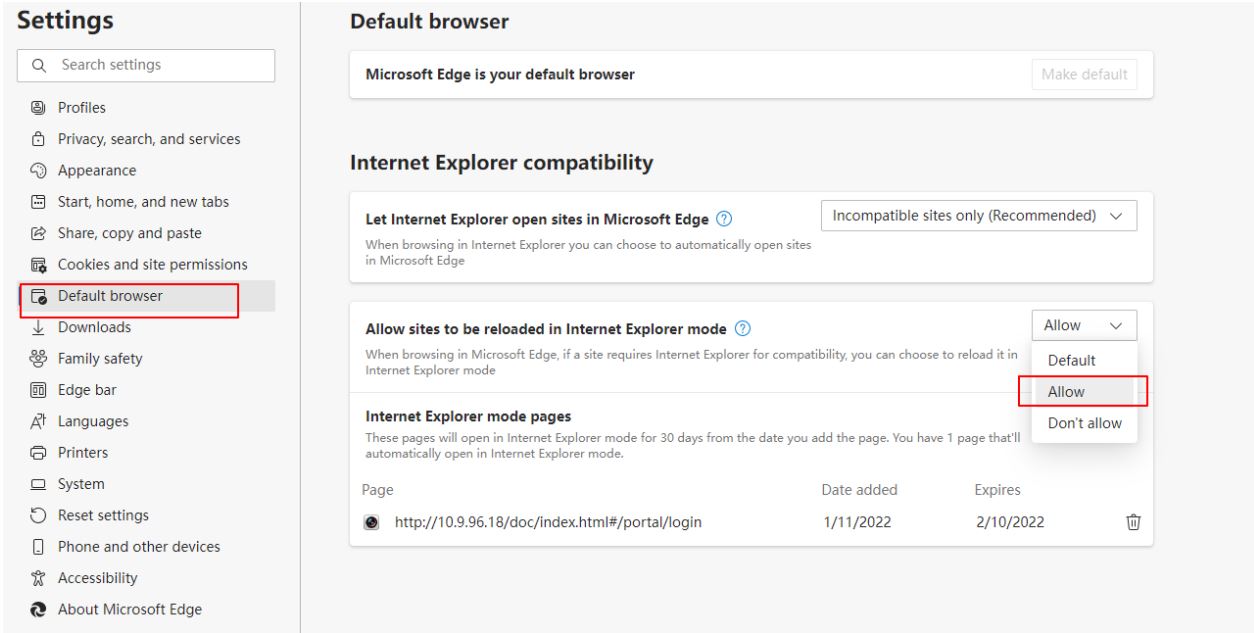
Step 3. Select Default browser. At the dropdown menu for ‘Allow sites to be reloaded in Internet Explorer mode’, select ‘Allow’.
Restart the browser as prompted.
Step 4. Click the right drop-down box and select ‘Reload in Internet Explorer’ mode.
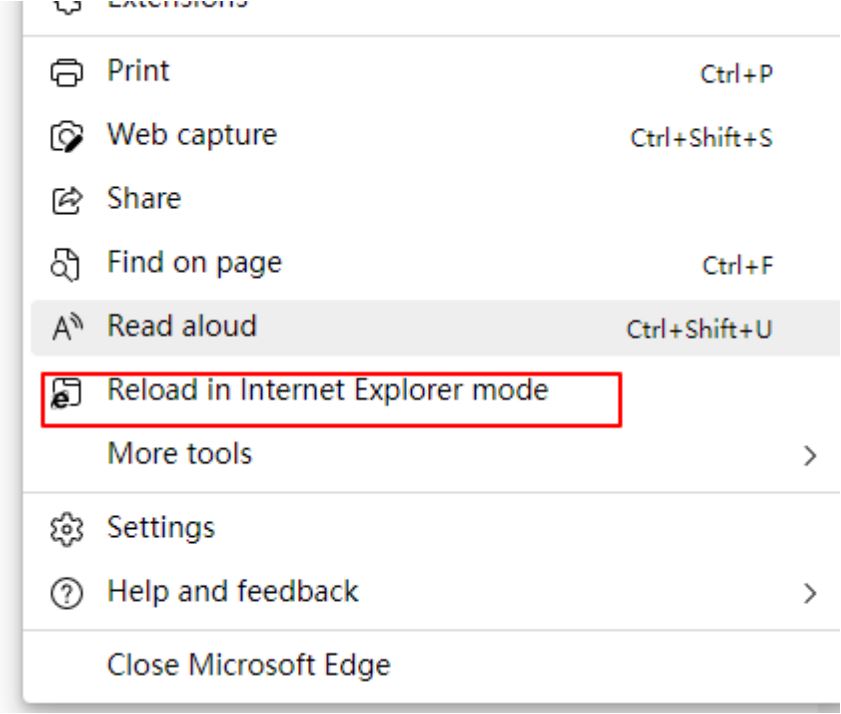
Step 5. Edge is now running in IE mode.

Step 6. Login using device IP address .

Step 7. Enter the camera web page and click on the upper right corner to download the Plug-in.
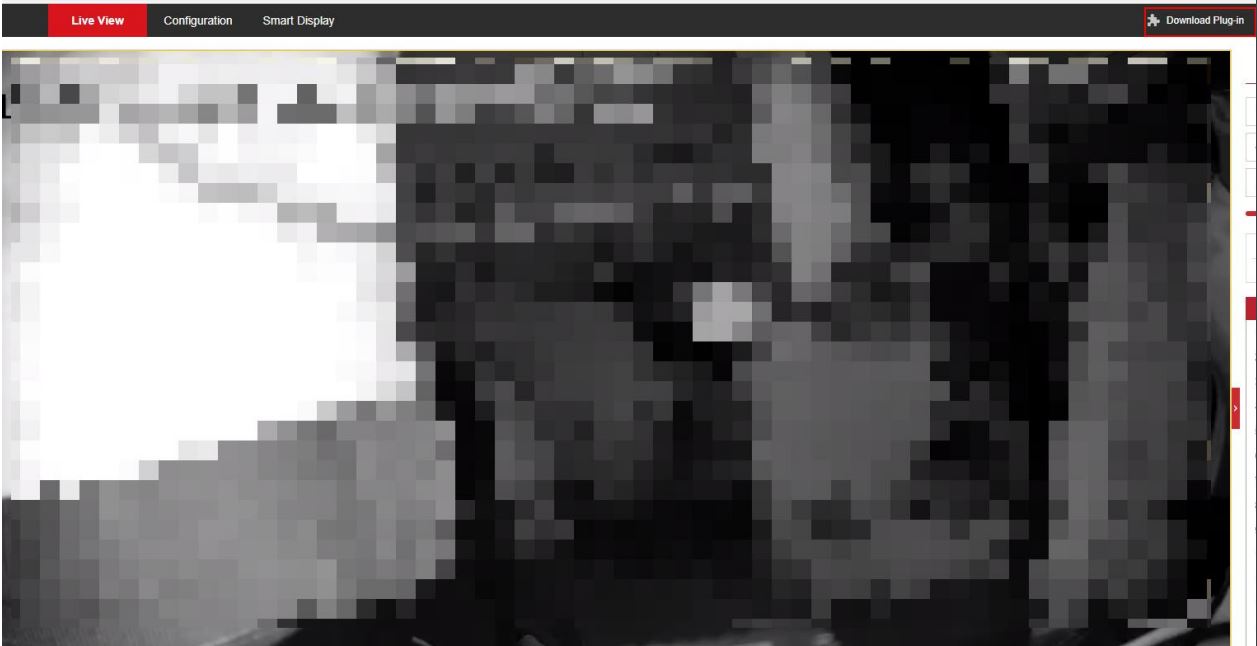
Step 8. Click to open the downloaded file. You will now successfully preview the selected camera.

IF THIS WAS HELPFUL, PLEASE DON’T FORGET TO RATE OUR SERVICE BELOW

Latest Posts

Tiandy Thermal Cameras UK: Fire Prevention and ...
19 April 2026 Comments Off on Tiandy Thermal Cameras UK: Fire Prevention and Perimeter Security